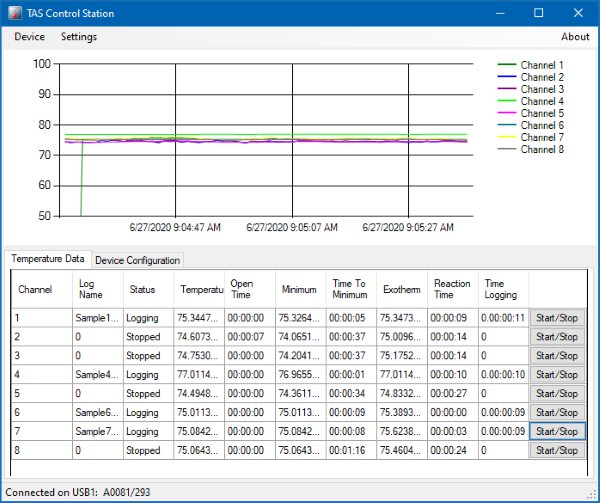
8 Independent Channels
Collect more data, in shorter periods of time!
TAS Control Station v1.20+
The connection dialog can hang for a few seconds when it is opened for the first time.
Windows can take a few seconds to instantiate the device when it is not already in memory so there may be a short delay in populating the port in the connection dialog
The device does not show up in the port list.
Check the Windows Device Manager and verify that the USB device is connected and the drivers are loaded properly.
Windows gives me an error that it is running low on virtual memory
See the section on Sampling and Display Rates. Increasing the sample rate or decreasing the graph range will reduce the memory used by the application.
The application seems to quit on occasion when running over night
Windows 10 will wait until after “active hours” and then will apply updates and reboot automatically. The updates can be paused, or the active hours changed to prevent the automatic install of updates. Make sure to check with the local IT team to ensure the changes are made in accordance with the IT policy.
TAS Control Station v1.10
The connection dialog does not list my ports or says "No System Ports".
This indicates that the port is not connected or that the driver is not working properly. Check your settings in Windows or try another port.
Windows cannot find my Bluetooth adaptor.
Sometimes windows cannot create the Bluetooth port without a serial port available in the system. If this problem is a common issue, consider plugging a USB to serial adaptor in and rebooting your system.
The device will not power on.
You may have blown the internal fuses. The device takes a 5x20mm 2A fuse. For help in replacing the fuse, contact technical support via the information below.
Windows gives me an error that it is running low on virtual memory
See the section on Sampling and Display Rates. Increasing the sample rate or decreasing the graph range will reduce the memory used by the application.
The COM ports that are listed are not correct, or my COM port is missing.
This is a limitation of Windows and the Bluetooth Serial Driver. Open the Bluetooth device which was setup in the Getting Started Section and change the Port name from the auto settings to a known value like COM25.